Suppliers and purchasing, Every plan
Your purchasing, from order to entry into stock
For metal, stones and findings, purchase orders go through approval, are received in one or several deliveries, by lot where needed, and are exchanged with your suppliers by EDI. What you receive goes into stock with no re-keying.
Approval by a manager
A purchase order can wait for a manager’s approval, notified by email.
Receipt in several goes
An incomplete delivery leaves the order “partially received”, until it is completed or closed.
Supplier EDI
The purchase order goes out as an EDI file and the supplier’s reply is imported.
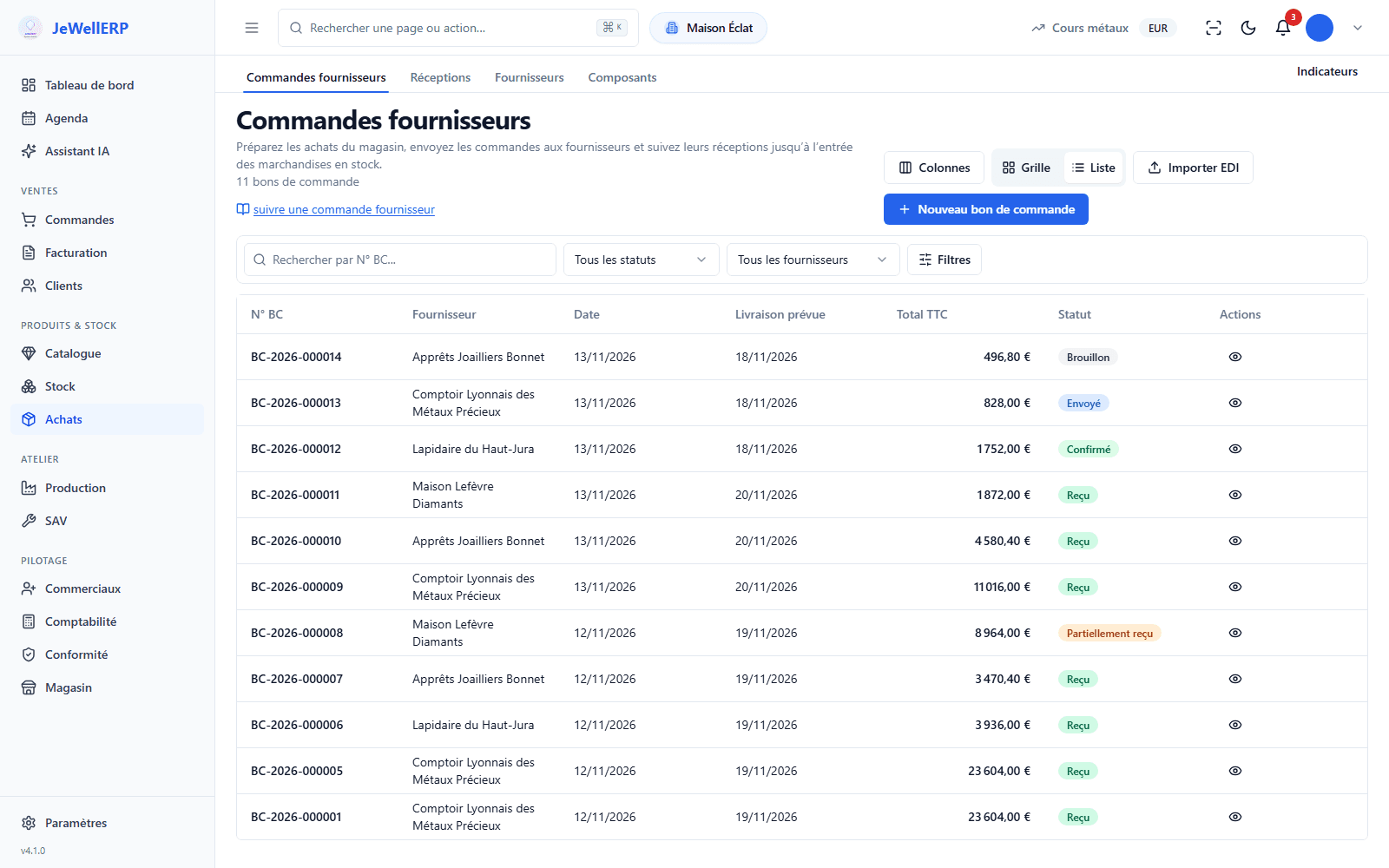
Supplier orders and their receipt
The orders placed with the demonstration shop’s suppliers.
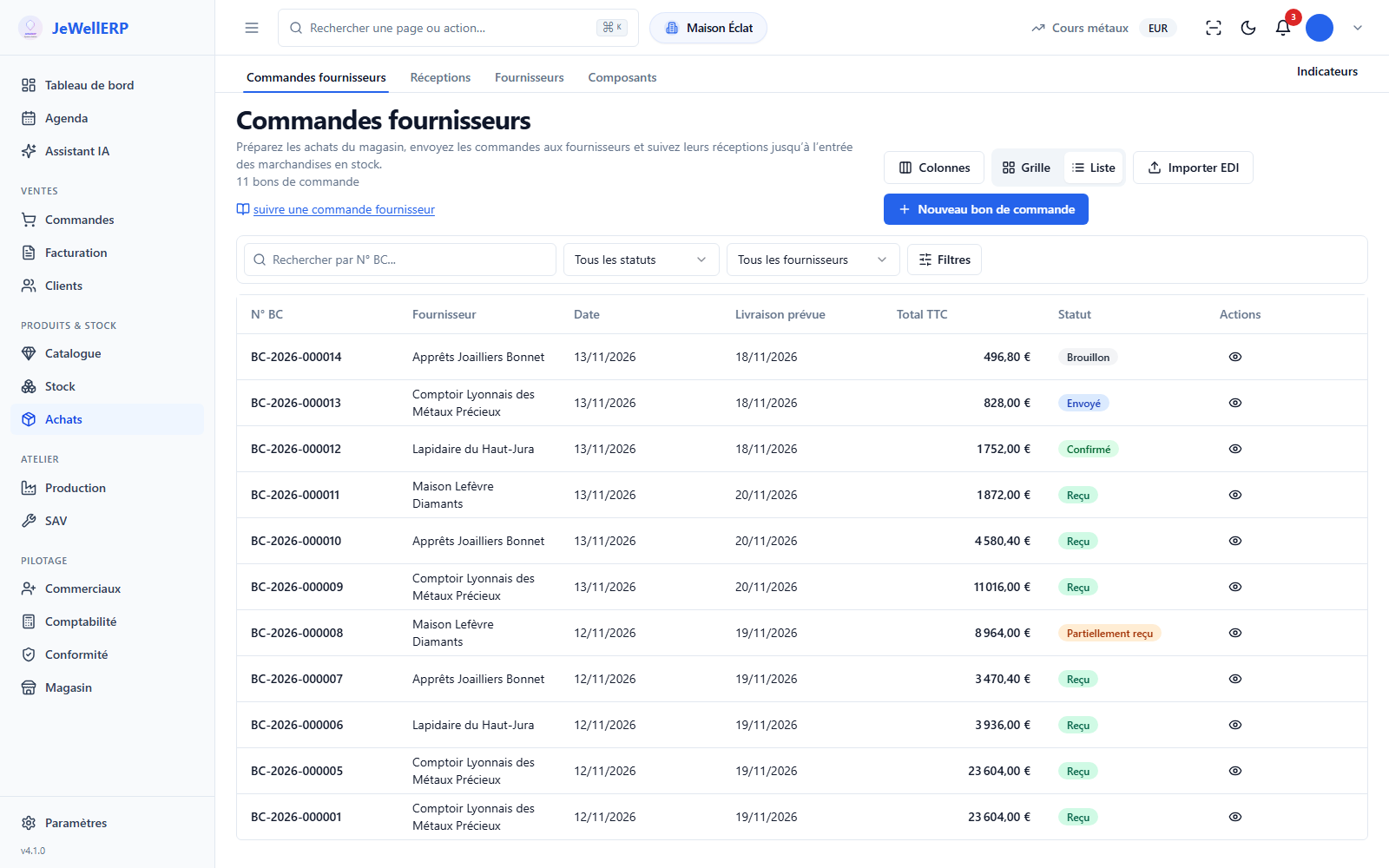
On this screen
From the stone ordered to the stone in stock
Metal, stones and findings are your first expenses. Their orders follow a process as tight as the one for sales.
Metal by fineness, stones with their certificate
Metal and fineness, stones with their quality, size, weight and certificate.
Stock up to date on receipt
What is received goes into stock, by lot where needed, with no double entry.
Approval by threshold and role
The approval flow is set like the other workflows: thresholds, roles, emails.
Supply in figures
The statistics have their “Supply” tab next to sales and stock.
A supplier order, from need to entry into stock
Example: six oval sapphires and two hundred grams of 750 yellow gold ordered from two suppliers.
The need
Low-stock alerts and production needs show what has to be ordered.
The purchase order
Supplier, components, quantities and expected delivery date.
The approval
Depending on your flow, the order waits for a manager’s agreement.
Sending
As a PDF by email, or as an EDI file for equipped suppliers.
The receipt
Complete or partial, with its lots. Stock and movements are updated.
Purchasing in detail
- Draft, awaiting approval, sent, confirmed.
- Partially received, received, or closed on a partial receipt.
- Purchase order sent to the supplier as a CSV or XML file.
- Import of the supplier’s reply onto the order.
- On the sales side, orders from your trade customers are imported and exported the same way.
- Five families: metal, stone, accessory, packaging, other.
- Lots keep a record of what arrived together.
- The purchase entries arising from receipts are exported to the FEC (French audit file) for your accountant.
What JewellERP does, and what it does not do
What it does
- Submits purchase orders for approval when you decide to.
- Accepts partial receipts and lots.
- Exchanges orders with your suppliers as EDI files.
- Updates the stock on receipt.
What it does not do
- It does not read the EDIFACT format: exchanges are made as CSV or XML files.
- It does not keep purchase invoices separately: the purchase starts from the purchase order received.
Your questions
No. The purchase order goes out as a PDF by email and the receipt is entered when the parcel arrives. EDI is a bonus for equipped suppliers.
The person you appoint. The approval flow is set in the workflow editor: required role, approval step, email to the manager.
Yes. A metal component is described by its type, fineness and weight; the workshop bill of materials then consumes it by the gram.
See a supplier order arrive in stock
In a demo, we follow a purchase order from approval to partial receipt, then to the balance.
Ask about it during the demoAsk for a partial receipt on an order of stones, then the balance a few days later: watch the stock at each step.