Document templates, Every plan
Your invoices, quotes and emails laid out in your house style
Two drag-and-drop editors for your PDFs and emails, ten ready-made designs, variables for every piece of information and six languages. Every version is kept and can be restored.
Ten designs
Clean, Classic, Elegant, Modern, Luxury, Minimal, Contrasted, Editorial, Compact, Workshop.
Six languages
French, English, Spanish, German, Dutch, Italian.
Nine documents
Invoices, deposit, proforma, quote, delivery note, credit note, drop-off slip and after-sales warranty.
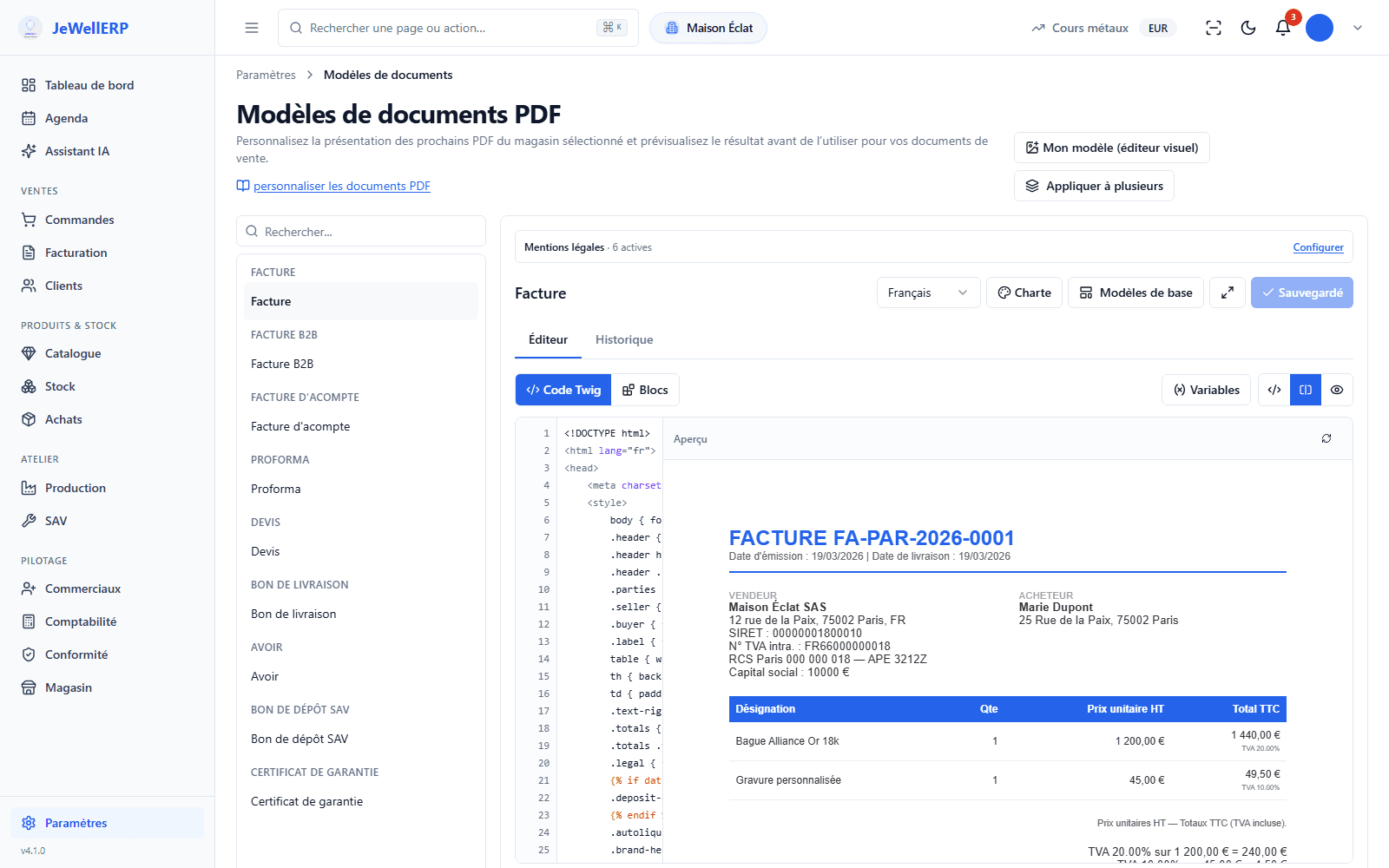
The template editor
The invoice template of the demonstration shop, with its preview.
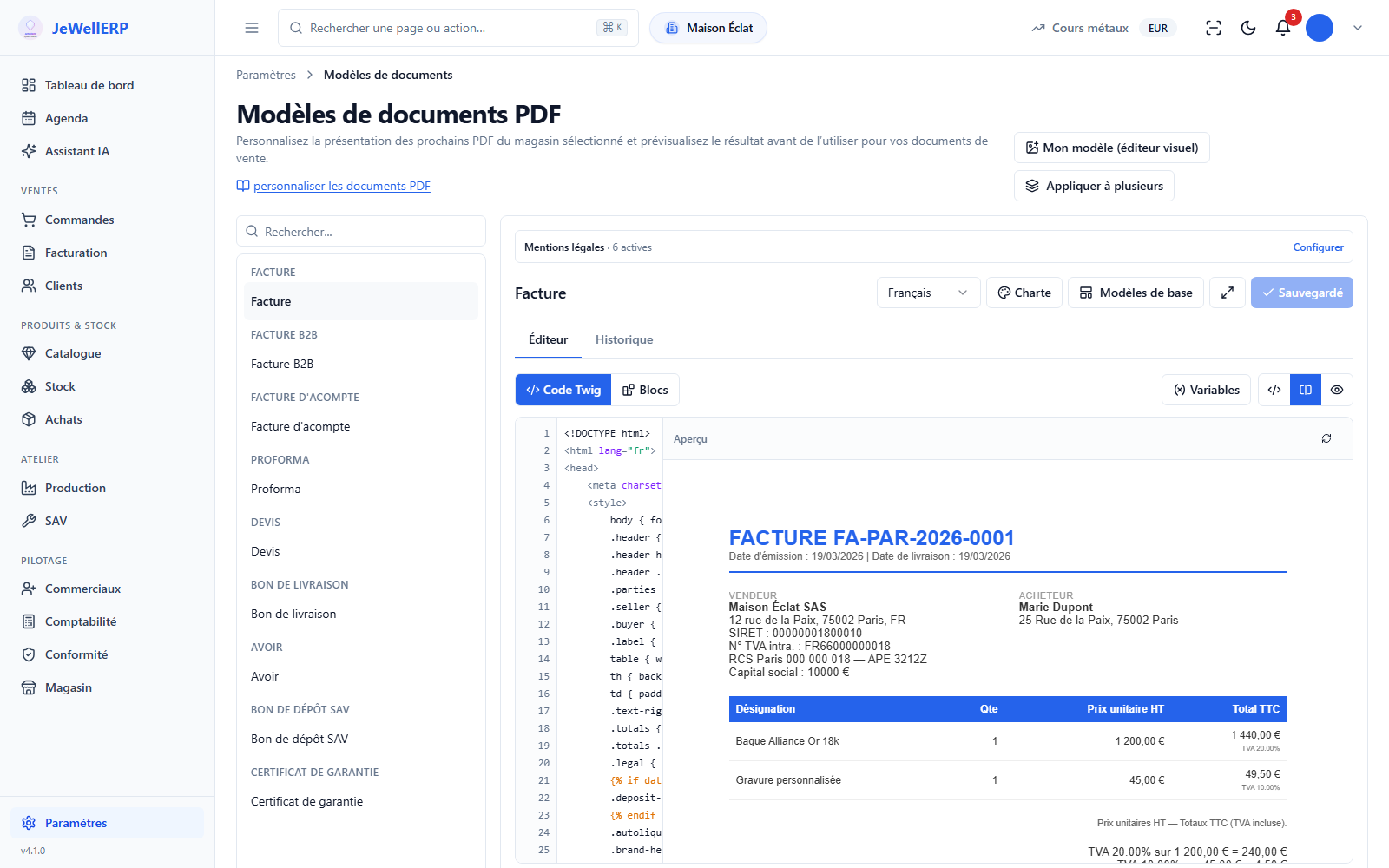
On this screen
Lay out your documents yourself
Your invoice carries your logo and colours, like your window display.
Your branding everywhere
Logo and colours set once, applied to every document.
A drag-and-drop editor
Twelve types of blocks to place, without touching any code.
Six languages
The same document, in your customer’s language.
Every version can be restored
Every change is kept; an earlier version can be restored.
A template, from design to publication
The design
Choose one of the ten ready-made designs, from the plainest to the most jeweller-like.
The branding
Your logo, your colours, your mentions.
The blocks
Drag, move, add the variables you need.
The preview
Check the result with real data, then save.
Templates in detail
- Final invoice, business invoice, deposit invoice, proforma, quote.
- Delivery note, credit note, after-sales drop-off slip, after-sales warranty certificate.
- One template per event: invoice sent, quote, reminders, after-sales steps, stock alerts.
- The same editor, the same variables.
- Customer, document, lines, shop, amounts: thirteen families of variables.
- A variable is inserted like a block; it fills itself in when the document is produced.
- Logo and colours set only once, in the brand guidelines.
- A design can be changed for all documents at once, or template by template.
- The AI assistant can prepare a change to a template, which you review before saving.
- History of each template, restoring a version, returning to the original template.
What JewellERP does, and what it does not do
What it does
- Lays out your PDFs and emails by drag and drop.
- Applies your branding to every document.
- Makes each template available in six languages.
- Keeps and restores versions.
What it does not do
- No till receipt among the templates: JewellERP is not till (POS) software.
- No text messages: messages go out by email.
Your questions
Largely: start from the closest design, then adjust blocks, colours and mentions in the editor. The preview with real data shows you the result before you save.
The mentions on your documents (payment terms, warranties, company details) are set in the settings and added to the templates. Have your accountant review them.
Go back to an earlier version, or to the original template, from the history.
Put an invoice in your own image, in a demo
In front of you, we change the design, logo, colours and language of a demonstration invoice.
Ask about it during the demoAsk us to switch your invoices from the “Classic” design to the “Luxury” design, with your logo, then to go back to the previous version.