Stock and Police Book, Every plan
The Police Book is kept from your stock
Every entry and exit of a regulated item is written into the Police Book (Livre de Police), the register of precious-metal and second-hand purchases and sales, from the stock movement. Entries are chained to one another, so any change is detectable. You can export the register as a PDF.
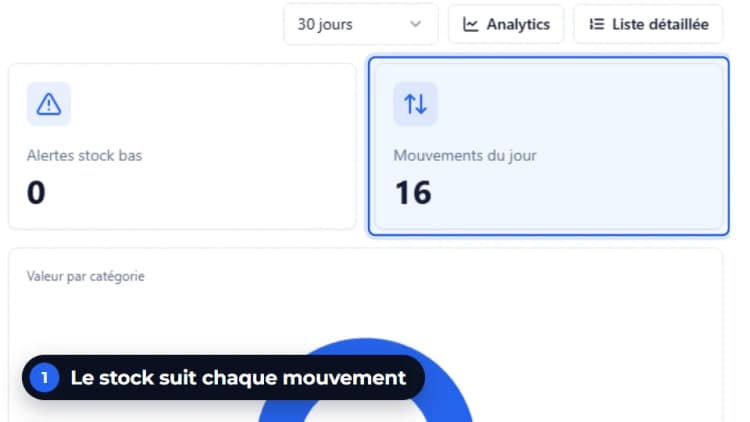
Entry created from the stock
Receipt, second-hand purchase or sale: the entry is created with the movement, with no re-keying.
Any change is detectable
Each entry carries the fingerprint of the previous one; a check verifies the chain every day.
PDF export of the register
Download the register as a PDF for the selected period.
The register, line by line
The Police Book of the demonstration shop. Each line describes a piece, with what identifies it. You can view the register and run the integrity check in this module.
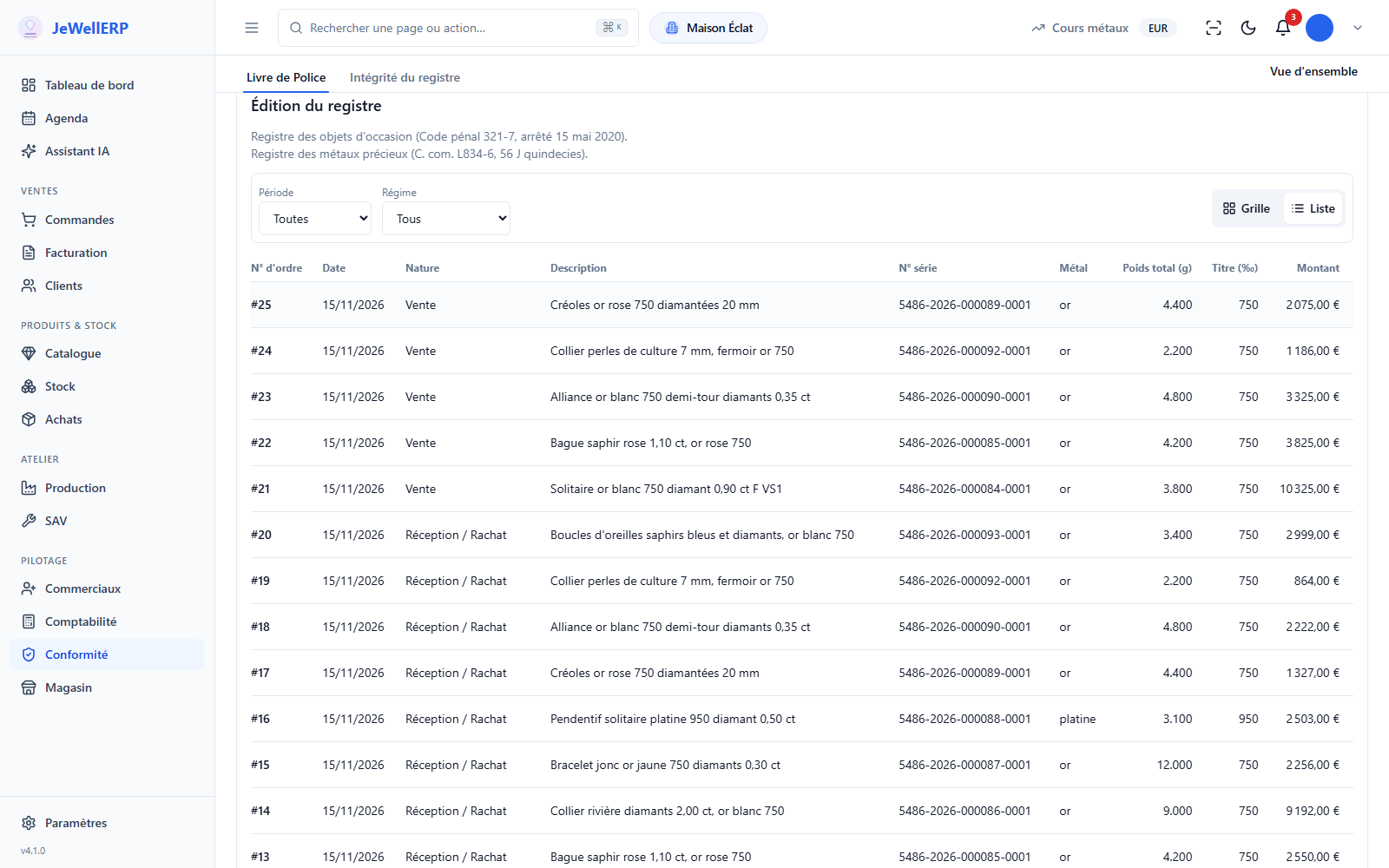
On this screen
Register traces and stock value
Every movement kept
Every stock movement is kept, and any change to it is detectable.
Consultations logged
Who consulted, exported or checked the register, and when.
Alert thresholds per shop
Thresholds per shop, stock-outs and low stock flagged.
The value of stock and metals
The stock value on a dashboard, and the fine weight of each metal valued at the day’s price.
From stock movement to register checks
The movement
A receipt, a second-hand purchase or a sale of a regulated item.
The entry
Sequence number, date, nature, description, serial number, metal, weight, fineness and amount.
The chaining
The entry receives the fingerprint of the previous one; the chain is anchored by an external timestamp.
The export
Choose a period and download the register as a PDF.
The register in detail
How the register is kept, checked and exported.
- Sequence number, date and nature of the operation.
- Description of the item, serial number when there is one.
- Metal, total weight in grams, fineness in thousandths and amount.
- Each entry contains the fingerprint of the previous one: changing an entry breaks the chain.
- An external timestamp anchors the chain outside the database.
- An automatic check runs every day; it can be re-run on demand.
- Export the register as a PDF for the selected period.
- Every consultation, export and check is recorded with its author and date.
- Second-hand goods and precious metals are filtered by scheme and by period on the same screen.
- Gross weight and fine weight of your pieces and components, metal by metal and fineness by fineness, at the end of the chosen period.
- The value is calculated at the metal price on the chosen date: online price recorded daily, or a price you enter for a date.
- Export as CSV and PDF; pieces without fineness or weight are listed separately.
What JewellERP does, and what it does not do
What it does
- Writes the relevant stock movements into the register.
- Chains the entries and checks the chain every day.
- Lets you view the register and export it as a PDF for the selected period.
- Logs every consultation of the register.
- Calculates the fine weight and value of your precious metals.
What it does not do
- It does not claim to prevent every change: it makes every change detectable.
- It does not export the register in FEC format: the FEC concerns sales.
- It is no substitute for your adviser’s advice on your obligations.
Your questions
With an opening stocktake: the pieces in stock on the start day are entered and sealed. Your previous register is kept as it is, alongside.
The entry’s fingerprint no longer matches the one carried by the next entry. The integrity check flags the break in the chain.
From an online price service, recorded daily, in euros and in the currencies of your shops. You can also enter a price for a date: it takes precedence over the online price for that date.
See an entry born from the stock and the chain checked
A second-hand purchase, its register entry and the integrity check in a demo.
Ask about it during the demoAsk us to record a second-hand purchase, open the register to see the entry, run the integrity check again and export the register as a PDF for the selected period.